CSV or Excel.
Upload a CSV or XLSX file up to 25 MiB. Select one worksheet from a workbook and review the imported data before plotting.
Features
PlotX connects data review, figure creation and export. You stay responsible for the question, the design and the interpretation.
Generate figures from your selected measurements, then revisit the settings in the figure editor. When you need more control, work with the R code behind the result.
Keep the figures with their project rather than treating every export as a separate starting point.
Follow the workflow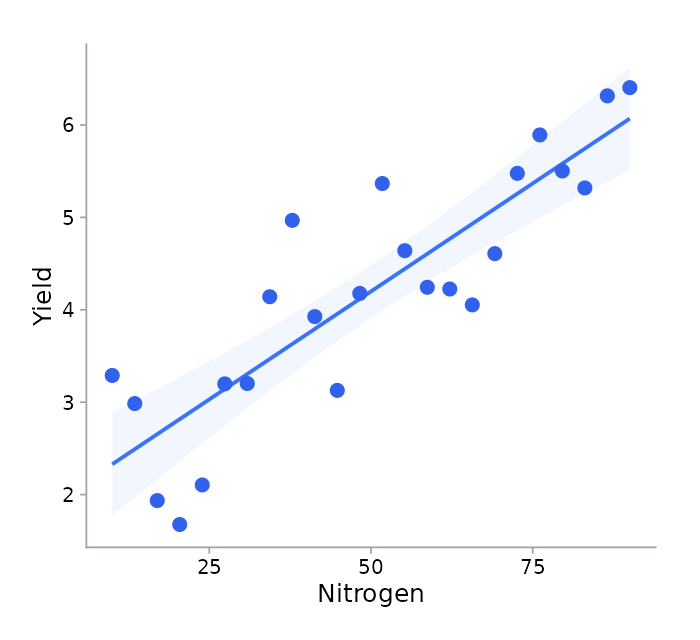
Upload a CSV or XLSX file up to 25 MiB. Select one worksheet from a workbook and review the imported data before plotting.
Inspect column types and missing values. Confirm observation structure, group roles, sample identifiers and sampling time where relevant.
Select numeric parameters and appropriate plot types. The available choices depend on your data and confirmed variable roles.
Adjust the figure configuration, regenerate the output and customize the underlying R code.
Return to your project, its imported datasets and saved figures. Revisit an existing figure when it needs another revision.
Export selected figures as images or as a PDF report. Add captions and optionally include matching R source and configuration.
PlotX supports the figure types below. A plot’s availability depends on the selected measurements, data structure and confirmed roles.
| Figure | Use it to examine |
|---|---|
| Histogram | The distribution of a numeric measurement. |
| Box plot | Variation in individual observations, with optional grouping. |
| Scatter plot | Two paired numeric measurements. |
| Count plot | The number of observations in categories. |
| Mean bars or mean points | Observed means across confirmed groups or units. |
| Line plot | Observed values or means across ordered sampling points. |
| Output | What you receive |
|---|---|
| PNG or TIFF | Raster figure files. Choose a supported raster resolution for the export. |
| SVG or vector PDF | Vector figure files, using physical figure dimensions rather than raster DPI. |
| Image bundle | Selected figure files together in a ZIP download. |
| PDF report | Numbered figures with researcher-provided captions. |
| Optional source | Matching R source, configuration and runtime information alongside the exported work. |
Export up to 20 selected figures per batch. Review the generated file and any journal or institution requirements before sharing it.
Create an account, verify your email and request workspace access.